

UAE E-Invoicing Guide: How to Create E-Invoices in Tally Software

Is your business ready for the FTA mandate? If you own a business or manage the books in the Emirates, navigating UAE E-Invoicing in Tally is about to become your top priority.
The Federal Tax Authority (FTA) is rolling out a strict, phased mandate that requires businesses to submit structured, digital invoices. Discover the implementation phases, XML requirements, and a step-by-step guide to generating e-invoices effortlessly.
Let’s be real for a second. If you own a business or manage the books in the UAE, you’ve probably been hearing the term “e-invoicing” bouncing around a lot lately.
Maybe you’ve ignored it, thinking it’s just another minor update you can deal with later.
But here is the deal: E-Invoicing is coming to the UAE, and it is going to fundamentally change how you bill your clients.
If you are still relying on Word documents, Excel sheets, or basic PDFs to send invoices, the clock is ticking. The UAE Federal Tax Authority (FTA) is rolling out a strict, phased e-invoicing mandate that requires businesses to submit highly structured, digital invoices directly to a centralized system.
The good news? If you are using TallyPrime, you are already leaps and bounds ahead of the curve. Tally is officially a Ministry of Finance (MoF) Pre-Approved e-Invoicing Service Provider (ASP), meaning the heavy lifting is practically done for you.
Let’s break down exactly what this mandate means, the urgent deadlines you need to care about, and a step-by-step guide to generating a flawless e-invoice in Tally software.
The UAE E-Invoicing Mandate: Are You in the Crosshairs?
First, let’s clear up a massive misconception. An e-invoice is not just a PDF attached to an email.
Under the new UAE framework, an e-invoice is a highly structured, machine-readable digital file (specifically, an XML format) exchanged securely between the supplier, the buyer, and the tax authority.
Who does this apply to? All taxpayers required to issue invoices under the UAE VAT Law. Currently, the scope covers:
- B2B (Business-to-Business): Transactions between registered businesses.
- B2G (Business-to-Government): Transactions where you are supplying a government entity.
- (Note: B2C – Business-to-Consumer transactions are currently excluded).
The Phased Implementation Timeline (Don’t Wait Until the Last Minute)
The MoF isn’t flipping a switch overnight, but the deadlines are aggressive. The rollout is split into two distinct phases based on your turnover (the gross income earned during your most recent accounting period).
Phase 1: Large Businesses (Revenue > AED 50M)
- Deadline to Appoint an ASP: 30 October 2026
- Go-Live Date: 01 January 2027
Phase 2: Other Businesses (Revenue < AED 50M) & Government Entities
- Deadline to Appoint an ASP: 31 March 2027
- Go-Live Date: 01 July 2027
💡 Pro Tip: Even if you fall into Phase 2, do not wait until 2027 to modernize your accounting software. The transition takes time, team training, and system testing.
The “XML Nightmare” (And Why Tally is a Lifesaver)
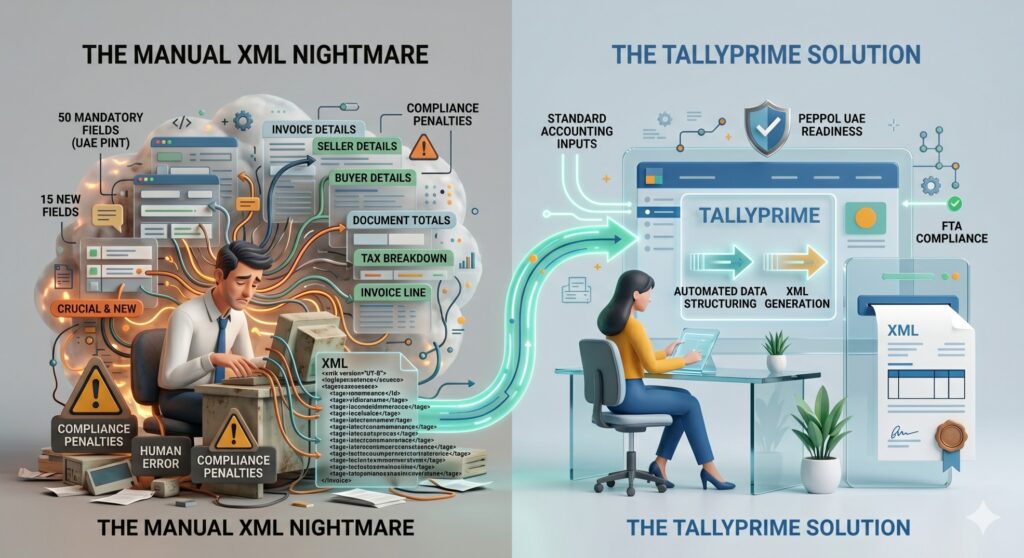
Here is where things get technical. According to the UAE PINT (Peppol International Invoicing model for the UAE), a Standard Tax e-Invoice (XML) requires 50 mandatory fields.
Yes, 50.
This includes 6 comprehensive data sections:
- Invoice Details (Invoice type code, currency, payment means)
- Seller Details (Legal registration identifier, tax scheme code)
- Buyer Details (Buyer electronic address, tax identifier)
- Document Totals (Total without tax, amount due)
- Tax Breakdown (Tax category rate, taxable amount)
- Invoice Line (Item net price, invoiced quantity, VAT line amount)
Crucially, 15 of these highlighted fields are entirely new and are not currently covered under standard UAE VAT Law.
Imagine manually calculating and typing out 50 distinct data points for every single invoice you generate. It’s a recipe for human error, compliance penalties, and absolute accounting burnout.
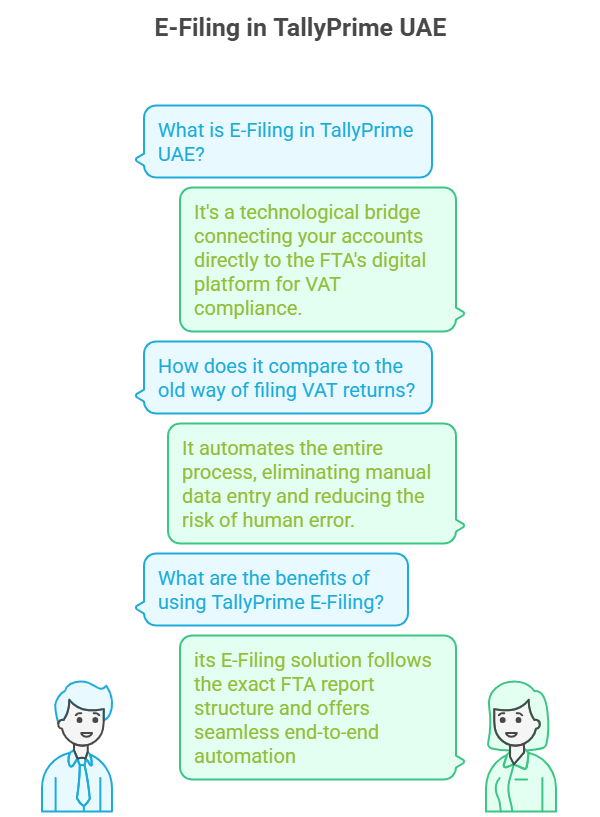
This is exactly why TallyPrime is essential for UAE FTA compliance. Tally automates this entire data dictionary. It structures your standard accounting inputs into the exact XML format the government demands, complete with PEPPOL UAE readiness.
Why TallyPrime is Your E-Invoicing Lifesaver
This is where TallyPrime e-invoicing steps in to save your sanity. Because Tally Software Solutions FZCO is a pre-approved MoF ASP, the software is natively built to handle the complexities of the UAE framework, including PEPPOL UAE standards.
Using Tally gives you:
- Zero Manual XML Coding: Tally maps your standard invoice entries directly to the required 50-field structure behind the scenes.
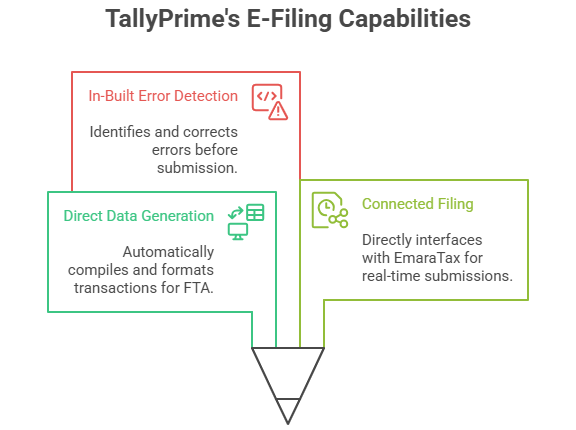
- 100% VAT Compliance: Built-in checks ensure your TRNs and tax calculations are flawless before the invoice is finalized.
- Frictionless JSON/XML Generation: Generate the exact file format the government needs with a single click.
- Secure Record Keeping: Maintains an encrypted, unalterable audit trail of your financial data.
Prerequisites: Getting Your Tally Ready
Before generating UAE E-Invoicing in Tally, you need to lay the groundwork. Make sure you have checked off this list:
- Update Tally: Ensure you are running the latest version of TallyPrime.
- Internet Access: A stable connection is required for API validations.
- TRN Readiness: Your own Tax Registration Number must be updated in your company profile.
- Customer Data: You must have the correct TRN and billing details for your B2B clients saved in their respective ledgers.
- ASP Readiness: Ensure your integration with the e-invoice portal is active (Tally will guide you through this API connection once the portals are live).
Step-by-Step: How to Create an E-Invoice in Tally
Ready to see how easy it is? Let’s walk through the exact Tally VAT setup and generation process.
Step 1: Enable VAT in Your Company Features
First, we need to tell Tally that your company is subject to UAE VAT.
- Go to the Gateway of Tally > F11 Features > Statutory & Taxation.
- Set the option Enable Value Added Tax (VAT) to Yes.
- Set the option Set/Alter VAT details to Yes.
- A new screen will pop up. Here, enter your company’s TRN Number, business details, and specific VAT registration information. Save the screen.
Step 2: Create a Compliant Customer Ledger
Remember those 50 mandatory fields? A lot of them come from your customer’s data. You must set this up correctly once so it auto-populates forever.
- Navigate to Gateway of Tally > Accounts Info > Ledgers > Create.
- Enter the Customer Name.
- Under the tax details section, input their TRN Number.
- Fill out their precise Address and Country.
- Set the VAT applicability based on the nature of their business.
- Save the ledger.
Pro Tip: Do not skip the “Country Subdivision” or “City” fields in the address block. These are part of the new mandatory data points for the XML structure!
Step 3: Configure Your Stock Items
The “Invoice Line” section of the e-invoice requires specific item data.
- Go to Gateway of Tally > Inventory Info > Stock Items > Create.
- Add the Item name and the Unit of measure (e.g., Nos, Kgs).
- Define the VAT rate applicable to this specific item (Standard 5%, Zero-rated, or Exempt).
- If your industry requires it, enter the relevant HSN/SAC codes. Save the item.
Step 4: Record the Sales Voucher
Now for the actual billing. You’ll notice this is exactly how you usually do it—Tally handles the heavy lifting in the background.
- Go to Gateway of Tally > Vouchers > Sales.
- Select the Customer ledger you created in Step 2.
- Select your Sales ledger.
- Pick the Stock items you are selling, and enter the Quantity and Rate.
- Tally will automatically calculate the exact VAT amount based on the item master configurations. Review the totals and save the voucher.
Step 5: Generate the Tax Invoice
- After saving, open the invoice voucher.
- Press Print (or use the shortcut Alt+P).
- Choose the Tax Invoice format.
- The generated visual PDF will contain all the necessary human-readable elements: Invoice number, TRN details, comprehensive VAT breakup, customer details, and the final total amount.
Step 6: Generate the e-Invoice JSON/XML (The Final Step)
This is where the magic happens for FTA compliance.
- From the completed invoice, use the Export data function.
- Tally will package the invoice data into the structured e-invoice JSON Tally format (or XML, depending on portal requirements).
- Because Tally is an integrated ASP, this data is pushed to the pre-approved portal/API.
- The government system validates the 50 fields, records the transaction, and instantly returns a validation confirmation and a compliant QR Code, which is then stamped onto your final invoice.

Don’t Let Compliance Slow You Down
The shift to mandatory e-invoicing is designed to reduce the tax gap and digitize the UAE economy. While the technical requirements—like perfectly mapping 50 specific data fields—sound intimidating, the reality of execution doesn’t have to be.
By leveraging an MoF-listed pre-approved ASP like Tally Software Solutions, you transform a massive compliance hurdle into a smooth, automated background process. You get to maintain secure digital records, eliminate manual data entry errors, and drastically simplify your VAT filing process at the end of the quarter.
The mandate is on the horizon. Take the time now to update your systems, configure your Tally VAT setup, and get your team comfortable with the workflow. When the FTA deadline hits, you won’t be scrambling—you’ll just be clicking “Generate.”
Make the Transition Seamless with Matrix
The shift to mandatory digital billing doesn’t have to disrupt your operations. Because Tally Software Solutions FZCO is a pre-approved MoF ASP, the software is natively built to handle the complexities of the UAE framework. However, configuring your master data, customer ledgers, and inventory for those 50 mandatory XML fields requires precision.
Don’t leave your FTA compliance to chance. As a trusted Tally Gold Partner, Matrix provides expert implementation, tailored training, and dedicated support to ensure your business is fully prepared for the rollout.
Ready to upgrade your accounting systems? Contact the Tally experts at Matrix today to secure your compliance before the deadline.