


TallyPrime 7.1 Release: The Ultimate Guide for UAE & MENA Businesses (2026)

If you are running a business in the UAE or the wider MENA region in 2026, you already know that the financial and regulatory landscape is shifting at breakneck speed. Between the Federal Tax Authority (FTA) in the UAE tightening digital reporting and ZATCA in Saudi Arabia rolling out Phase 2 of its e-invoicing mandate, relying on legacy accounting software is no longer a sustainable business strategy.
Enter the TallyPrime 7.1 new release.
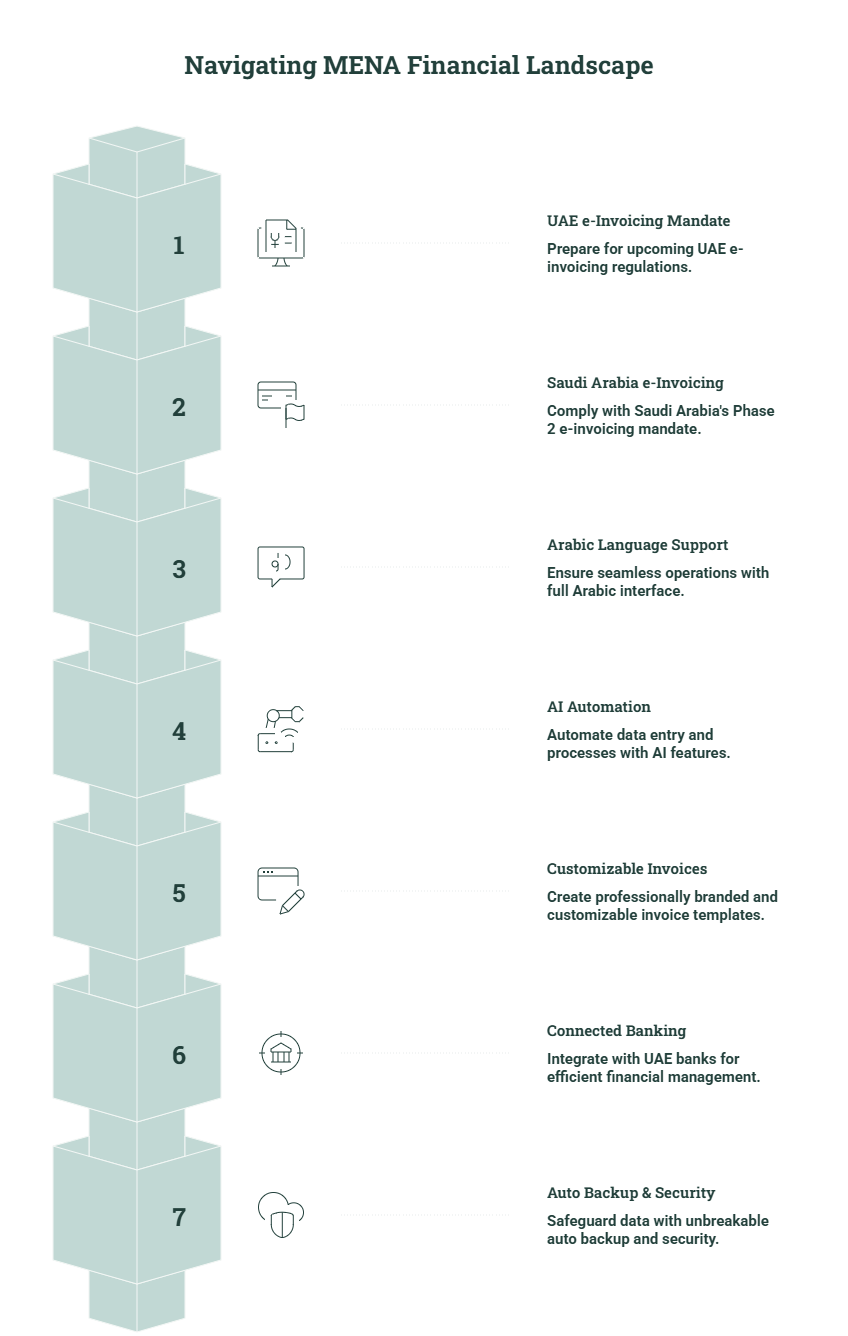
Tally Solutions has recently dropped a massive upgrade aimed directly at resolving the unique pain points of Middle Eastern businesses. Whether you are navigating the upcoming UAE e-Invoicing mandates, looking for seamless Arabic language support, or wanting to automate data entry with AI, TallyPrime 7.1 is designed to be your complete business management co-pilot.
In this comprehensive guide, we will break down the most impactful, game-changing features of TallyPrime 7.1, why they matter for MENA businesses, and how they will safeguard your compliance while accelerating your growth. Let’s dive in!
1. Complete Readiness for the UAE e-Invoicing Mandate
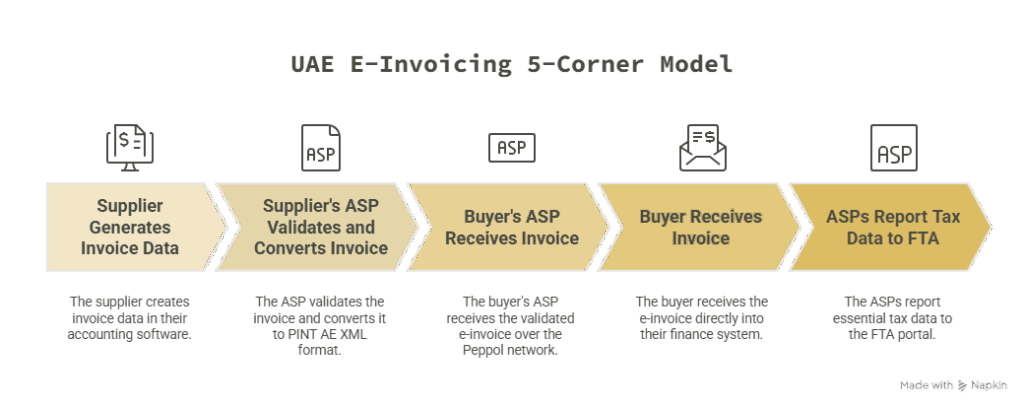
Let’s tackle the most urgent update first. The UAE Federal Tax Authority (FTA) is radically transforming how businesses transact by introducing a mandatory e-invoicing framework based on the global PEPPOL network. For large enterprises (revenue above AED 50 million), the deadline for system readiness is fast approaching on January 1, 2027, with SMEs to follow shortly after.
TallyPrime 7.1 is built to make this transition completely frictionless. It acts as one of the first ERP systems to fully align with the FTA’s requirements.
What does this mean for your business?
- PEPPOL Compliance: TallyPrime 7.1 natively supports the generation and exchange of electronic invoices in the exact PINT AE XML format mandated by the UAE government.
- ASP Integration: Under the new UAE laws, invoices must be transmitted through a certified Access Service Provider (ASP). TallyPrime 7.1 is built to seamlessly handshake with ASP systems, ensuring that your invoices are validated and cleared before they ever reach your buyer.
Here are the critical deadlines your finance team must track:
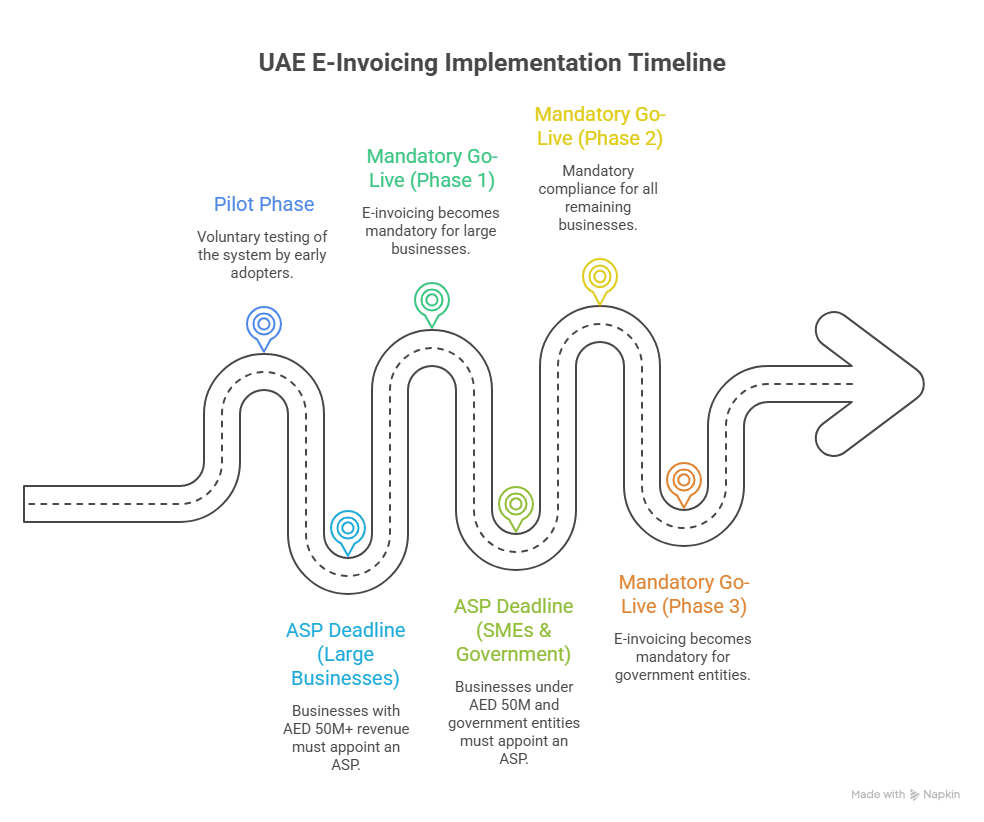
Phase 1 (Large Businesses – Revenue > AED 50 Million): You must officially appoint your ASP by October 30, 2026. The mandatory go-live date is January 1, 2027.
Phase 2 (SMEs – Revenue < AED 50 Million): You must appoint your ASP by March 31, 2027. The mandatory go-live date is July 1, 2027.
Phase 3 (Government Entities / B2G): ASP appointment by March 31, 2027, with mandatory go-live starting October 1, 2027.
- Future-Proofing: By upgrading now, you avoid the chaotic, last-minute rush that usually accompanies new tax mandates. You have ample time to clean up your master data, conduct user acceptance testing (UAT), and train your staff. Failing to appoint an ASP by your specific deadline will result in an immediate AED 5,000 monthly fine, before you even consider the AED 100 per-invoice penalties for failing to transmit correctly.
2. Simplified UAE VAT 201 e-Returns
Filing VAT returns can be incredibly stressful, especially when cross-referencing your books with the EmaraTax portal. Even a minor discrepancy can lead to heavy administrative penalties.
TallyPrime 7.1 introduces UAE VAT e-Returns (Phase 2) Simplification, acting as a direct bridge between your software and the tax authority.
- Direct Downloads: You can now download your VAT 201 filings directly into TallyPrime.
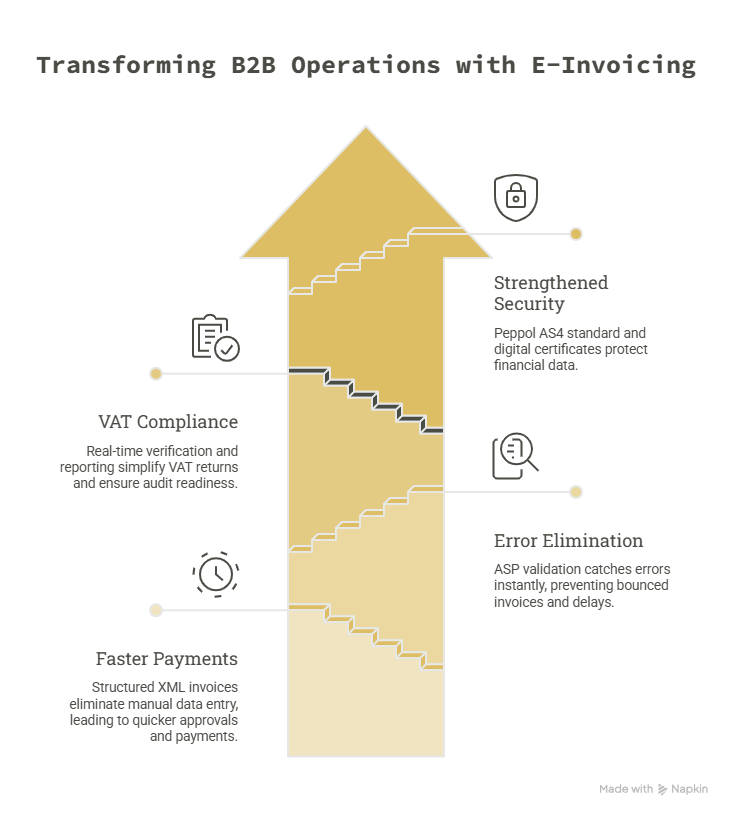
- Effortless Reconciliation: The system intelligently compares your downloaded portal data with your local books, instantly highlighting mismatched transactions.
- EmaraTax Alignment: The output is perfectly structured to align with the EmaraTax portal, ensuring that your final submissions are 100% accurate, foolproof, and compliant. You spend less time reviewing spreadsheets and more time actually running your business.
3. Advanced KSA e-Invoicing (Phase 2) Support
Because Tally is a trusted powerhouse across the entire GCC, the 7.1 release brings monumental updates for businesses operating in Saudi Arabia. ZATCA’s Phase 2 (Integration Phase) requires deep, technical compliance, and TallyPrime 7.1 delivers.
The biggest highlight is the enhanced flexibility in handling advance receipts. Businesses in KSA can now allocate advanced receipt amounts specifically to individual Stock Items, Service Ledgers, or a combination of both. You can manage single or multiple allocations directly within TallyPrime.
Furthermore, you can seamlessly print these intricate allocation details in compliant A3 PDF formats or standard receipt prints. This ensures that every transaction is crystal clear, fully transparent, and strictly in line with ZATCA’s rigorous audit requirements.
4. TallyIRA & Docs by Ira: The AI Accounting Revolution
Perhaps the most exciting leap forward in TallyPrime 7.1 is the introduction of TallyIRA (Intelligence Response Assistance). Tally has finally brought artificial intelligence into the everyday accounting workflow, and it is a massive time-saver.
Its flagship feature, Docs by Ira, acts as your automated data entry clerk.
- Scan & Upload: You simply scan or upload your physical purchase invoices or digital PDFs.
- Auto-Creation: The AI engine reads the document, extracts the vendor details, amounts, tax rates, and line items, and instantly translates them into accounting-ready entries in TallyPrime.
- Review & Approve: You maintain complete control. The system drafts the voucher, and you just review and approve it.
For trading companies and retailers processing hundreds of vendor invoices a month, Docs by Ira can save up to 80% of manual processing time while virtually eliminating human data entry errors.
5. Fully Localized: Complete Arabic Language Interface
To truly serve the MENA region, business software needs to speak the local language—literally. While Tally has supported Arabic invoicing for years, TallyPrime 7.1 takes it a giant step further.
TallyPrime is now fully available in Arabic. This means your entire interface—menus, transaction screens, and reports—can be switched to Arabic natively. If you have accountants, storekeepers, or administrative staff who are more comfortable working in Arabic, they can now navigate the software, record transactions, and generate complex business reports in their preferred language. This significantly flattens the learning curve and boosts productivity across bilingual teams.
6. Professionally Branded, Customizable Invoice Templates
Your invoice is often the most frequent point of contact you have with your clients. Handing over a generic, basic receipt doesn’t exactly scream “premium brand.” TallyPrime 7.1 has completely overhauled its printing engine, introducing Professionally Designed Invoice Print Templates.
- Ready-to-Use Designs: Choose from eight modern, predefined templates that look stunning on both paper and digital PDFs.
- Deep Personalization: You can now easily upload your company logo, authorized digital signatures, and highly customized header and footer images.
- Brand Identity: Apply your brand’s specific color palette, use custom fonts, and embed professional watermarks to make your invoices distinctly yours.
- Terms & Conditions: Standardize your legal notes, banking details, and payment terms seamlessly on the document.
You can save preferred templates for different voucher types (e.g., one layout for local Dubai sales, another for international exports), ensuring brand consistency across all departments.
7. Connected Banking Tailored for the UAE
Bank reconciliation (BRS) is universally despised by accountants due to its tedious nature. TallyPrime 7.1 streamlines this by deeply integrating banking into the software.
For UAE users, the Connected Banking feature now supports direct integration with Standard Chartered Bank. You can record payments inside TallyPrime, automatically generate bulk payment files, and push them directly to the bank portal for faster transaction processing.
Globally, the update introduces a Potential Matches Summary, which automatically suggests matches between your bank statement and your books. You just review the suggestions and click to reconcile, turning hours of tedious line-by-line checking into a simple five-minute task.
8. TallyDrive: Unbreakable Auto Backup & Security
In an era of ransomware and hardware failures, losing financial data can be a death sentence for a business. TallyPrime 7.1 introduces a robust, set-it-and-forget-it Auto Backup feature.
Your company data is automatically backed up in the background to TallyDrive (Tally’s secure cloud storage solution) or a designated local storage device. This happens without interrupting your workflow or requiring manual intervention from your staff. If a server crashes, you can restore your complete financial history from the cloud in seconds.
9. Quality of Life: Auto Wrap Text & SmartFind
Finally, Tally Solutions has listened to user feedback and introduced two massive usability improvements that make staring at the screen much easier.
- Auto Wrap Text: Have you ever typed a long item description or a complex vendor address, only for it to get abruptly cut off on your screen? The new text wrapping feature expands character limits (up to 150 characters). Text now automatically wraps up to 3 lines in transactions and up to 7 lines in detailed reports. No more truncated text; everything is perfectly readable at a glance.
- SmartFind: Instantly locate anything you’ve entered in your masters or vouchers. You don’t need to remember exact ledger names or voucher numbers. Just search for a keyword, and SmartFind instantly pulls up the relevant reports, ledgers, and transactions.
Conclusion: Why You Must Upgrade to TallyPrime 7.1 Today
The TallyPrime 7.1 release is a pivotal moment for business management software in the Middle East. It is not just a cosmetic update; it is a profound functional enhancement engineered to protect businesses against upcoming regulatory shifts.
By automating manual data entry with TallyIRA, securing your data with TallyDrive, professionalizing your brand with new invoice templates, and ensuring you are 100% ready for UAE e-Invoicing and KSA ZATCA Phase 2, Tally is freeing up your time to focus on strategic growth.
How to get it?
If you have an active Tally Software Services (TSS) subscription, this massive upgrade to TallyPrime 7.1 is entirely free. Simply navigate to the ‘Help’ menu in your current Tally software, click on ‘Upgrade’, and step into the future of accounting.
Is your business ready for the upcoming UAE e-Invoicing mandate? Reach out to us today!